Category Archives: Help

Procrastination

ProcrastinationLet’s talk a little about procrastination. Have you ever just put away your to-do list because it looks like too much work. Or stepped over a laundry basket instead of taking the time to put away the clothes? How about letting the pile of mail get bigger and bigger instead of sitting down and going through it? We all do it. Sometimes we just don’t want to deal with a project, big or small. We’d rather just wait until tomorrow.

But the longer you wait, the bigger the pile gets or the  less time you have to work on a project. Here are some ideas for working through that desire to procrastinate.

  1. Gather the tools you need the night before. Lay out your gym clothes, gather the paint and painting supplies (maybe even start taping), gather the paperwork and files, etc. Getting started the night before helps you get a jump start on the project.
  2. Tackle a project when you feel at your best. That may be first thing in the morning or right after lunch. Whatever time of day it is, focus on your most important task.
  3. Break down a project into manageable steps. Sort the mail (pulling out the important stuff), shred all of the junk mail. Then tomorrow sit down and deal with everything that needs attention.
  4. Spend 15 minutes a day on something (cleaning out photos, paperwork, emails).
  5. Do the worst part first. It’ll only get easier!

Just take that first step. Sometimes you just need to find some motivation to get started and you’ll be able to keep going. Think about tomorrow and if you want to wake up to that dirty kitchen or that pile of mail. If you take care of it now, your future self will thank you!

If you want some help getting started, schedule a call or send me a message!

Organize Your Home Office

organize your home officeThe second Tuesday of March is Organize Your Home Office Day. So this post is all about organizing your home office. You can plan to organize yours on Tuesday, or take a little bit of time each day or on the weekend to make sure your home office is working for you.

  1. Gather any tools you might need: a shredder, trash bags, a box for any paper that needs to be sorted and filed, sticky notes or label maker, pens, markers, and any cleaning tools you might need. 
  2. Pick one corner of the room, a spot on your desk, a shelf, whatever spot makes sense to you. Work around the room, sorting into piles (like with like) everything that you come across. This helps you see what you have and allows you to start identifying what needs to live where.
  3. Once you have worked your way around the room, take out the trash and shred everything that you’ve piled up near the shredder (unless you were shredding as you went along).
  4. Then work through each pile and find homes for everything. Think about how close you need it to you as your working. Archived files can live in the closet. Your inbox should be convenient to your chair. Keep in mind how you work and what items you need access to when.
  5. Make note of any supplies you need to restock. Keep in mind that you don’t need all of your sticky notes to live on your desk. You can have a couple of pads out and the rest can be in your closet or on a shelf with other overflow supplies.
  6. Get in the habit of ending your day by cleaning up your desk. Put items back in their appropriate places and prepare for tomorrow’s tasks. This way you can start each day with an organized workspace.

Make some time today to organize your workspace and create habits to keep them organized! Happy organizing! 

If you want some guidance in getting your office organized, schedule a call with me or send me a message!

Let’s Be More Productive!

be more productive

As we wrap up February, I thought I’d share a few productivity tips. I don’t know about you, but my to-do list seems to grow longer each month instead of shorter. Somedays it’s downright overwhelming. Maybe it’s being home with a 14 month-old who doesn’t like to nap. Or maybe it’s me. Either way, I could certainly use to follow some of the advice below to be more productive!

  • Find a calendar you love and commit to it. It may be on your phone, on your iPad, or a paper version. Find one and use it. 
  • Create a list of everything you need to do. You can have separate lists for work and home, but don’t keep too many separate lists. Things get lost this way.
  • Manage your technology, don’t let it manage you. Check your email at certain times each day and have a specific time to respond to emails. Make sure the blogs and other items you receive are supporting you, not taking away your focus from something important.
  • Schedule downtime. Otherwise, that elusive spare time will never happen. It’s perfectly fine to put it on the calendar.
  • Break down tasks in to smaller steps. I’ve been wanting to work on my scrapbook for months now. As a whole, it feels very overwhelming. But I sat down a few weeks ago and put everything in my scrapbook box in order. Then I sat down and over a week went through pictures (all on the computer) to see what to print. Then I printed them. Next, I need to take those prints and get them mixed in with everything else. Then I can sit down and start scrap booking. Tiny steps means I’m on my way to catching up with it.

These are just a few productivity steps to help wrap up February. Start thinking about how you can use them in March. If you want some guidance in how best to use your time, schedule a call with me or send me a message!

Cleaning Out Your Computer

cleaning out computer The 2nd Monday in February is Clean Out Your Computer Day. Maybe instead of a day, you need a week or a month. How about spending just a few minutes at the end of each day cleaning off files. Get in the habit of doing this regularly and you can keep your computer clutter free.

Here are a few tips to get you started. (Some of these can apply to your smartphone as well).

  • Delete any software or apps that you no longer use.
  • Take a look at your computer’s desktop and delete any files you know you no longer need. Last week’s list of errands is probably no longer relevant.
  • Go through any folders you’ve created and delete files you no longer need.
  • Delete duplicates of any files. Do you really need 4 versions of something? Keep only the most recent.
  • Create folders for each person in the house and start putting relevant files into each person’s subsequent folder (if it’s necessary to keep).
  • Go through iTunes and delete any music you no longer listen to or want to keep.
  • Go through your photos and delete any duplicates, blurry photos, etc.
  • Create files for your photos to keep them organized. For example, mine are labeled by year-month-topic (2013-3-Trip to Santa Fe). Use a naming system that makes sense to you.
  • Clear out old emails in Outlook or Mail. Archive old emails if you have many you want to keep.
  • Go through your contact list and delete duplicates or remove any contact that is no longer useful.

This list should get you started. Schedule some time to back up your computer and get in the habit of cleaning up your computer’s desktop and files on a regular basis. A clutter free computer is a happy computer! If you want some guidance in cleaning out your computer, schedule a call with me or send me a message!

Too Many Emails?

too many emailsDoes your email inbox scare you? Do you check your email and cringe because you have so many unread emails? What do you do when you have to many emails?

Maybe it’s time to declare bankruptcy on your emails. Pick a date, maybe 30 days ago, and delete all emails prior to that date. Or if deleting them seems too scary, move all of them into a folder with a title that makes sense to you (for example: old emails, prior_date_year). This way they’re still searchable if necessary, but they’re not taking up space in your inbox.

Then you can process emails from the last month, making sure to delete or file them as you read or respond. Take a look at the blogs, daily deal emails, or other group emails that you’re getting on a regular basis. Are they relevant to you? Are you reading them or using the deals? If not, unsubscribe. Your time is valuable.

Set up rules for your emails. Maybe you have a favorite blog but only sit down every now and then to read it. Have it sent directly to a specific folder. Then you can go in and read them when you’re ready. This helps keep less important emails out of your inbox.

And try to sit down each day or every few days and process your emails. This means sitting down and responding, deleting, filing, etc. each email. This will help you from having to declare email bankruptcy in the future.

If you want some guidance in sorting out your emails, schedule a call with me or send me a message!

Delayed Decisions

delayed decisionsClutter really is just delayed decisions. Those clothes in the back of your closet waiting for you to decide whether to keep or donate. That pile of mail that needs to be dealt with. The emails you need to return but are avoiding. Those are all decisions that need to be made.

You can decide to keep the clothes or drop them off at Goodwill. You can sit down and sort through the mail. And you can either delete or respond to the emails (or respond and then delete). Either way, you need to make a decision.

What decisions do you need to make to clear out some clutter? Get to it!

If you want some guidance in making these decisions, schedule a call with me or send me a message!

While You’re At It

quick declutteringWe’re busy. It can be hard to find time to tackle an organizing project. So, I have another suggestion, similar to my previous post about quick decluttering. Take a look at your shelves while you’re doing something else.

  • While you’re brushing your teeth, take a glance at your medicine cabinet. Do you need everything that’s in there? Are there bottles of expired medicine / lotions / etc.? Get rid of what you don’t need.
  • While you’re doing the laundry, take a look at clothes you’re putting away and the clothes already in the closet. Does the item still fit you (or the appropriate family member)? When was the last time it was worn? Is it the right season (should it be stored with the other off-season clothes)? Or should it go in your donation box (which you have right there, in the closet)?
  • While you’re putting away the groceries, take a look at your fridge and pantry. Better yet, take a look at them while you’re making your grocery list. What is expired or about to expire? What can you work with to make a meal out of this week?
  • While you’re dusting or putting other household items away, take a look at what you have and where it is located. Do you still need it? Is this the best location for it? If not, where else could it go?

You get the picture. As you’re taking care of one task, take a few minutes to see if there’s anything you can get rid of or find a better home for. You may be surprised at what you find.

If you want some guidance in decluttering, schedule a call with me or send me a message!

Don’t Get Organized!

don't get organizedMaybe the thought of getting organized is just too daunting. Maybe you just don’t know where to start.
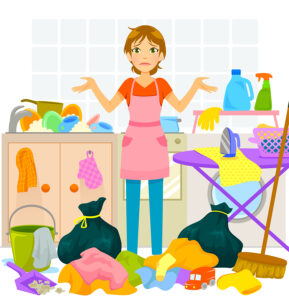
So don’t get organized. Start getting rid of stuff. Pick a pile or a corner of a room or a shelf. And clean stuff out. Do you need that piece of paper, knick knack, memento, book, toy, or whatever it is? If not, off to the donation pile, trash or shredder it goes.

There’s no need to spend hours perfectly organizing your house so it looks like it belongs in some home magazine. But by starting to clear the clutter, item by item, you can make a dent in organizing your stuff.

If you want some guidance in decluttering, schedule a call with me or send me a message!

What’s Important?

what's importantAs I write this, I have an infant at home. My days are busy taking care of her. This means that some days I spend more time staring at my clutter than dealing with it. It also makes me thankful that we purged our house of anything we didn’t need or love before she came along. Some days we’re lucky if we get the dishwasher emptied or the laundry put in the dryer. I consider other days successful if I get the laundry dried and we just pull the towels out of the dryer as we need them.

But then I think to myself, I’m a professional organizer, I should be able to maintain an organized home, even with an infant. I also live in the real world and know that people are busy, we’re tired,  and some days we’d rather watch the latest DVR’d show than put away the laundry.

So what would I recommend to someone in my position?

Identify what’s important. Each day I figure out what important or key tasks I need to accomplish. Our kitchen is tiny so if we haven’t emptied the dishwasher, it’s probably a priority or making dinner will be difficult. If I can’t find a clean onesie for my infant, I’d better put away her clothes so I can get her dressed.

I also try to stay on top of the piles. Deal with the mail as soon as it comes in the house, put dishes in the dishwasher on a regular basis, put away the laundry with each load. This keeps the piles to a minimum and allows me to spend more time playing with my little one.

So what’s important for you to accomplish today? If you want some guidance in identifying your daily priorities, schedule a call with me or send me a message!

Just One Thing

just one thingJust one thing is how I get through a week when I’m feeling overwhelmed. When I add three tasks to my to-do list for every one task I cross off. I just pick one task to accomplish each day. I know I can send an email, pay a few bills, or put away the clothes in the laundry basket. If that’s all I get done from my to-do list in any given day, I’m ok with that. And sometimes, just one thing is all we need to get us moving forward in what we want to accomplish.

If you want some guidance in identifying your daily priorities, schedule a call with me or send me a message!

Just GO!

get organizedJanuary is Get Organized or GO month for the National Association of Productivity and Organizing Professionals (NAPO). Maybe you’ve been thinking about all the piles you have in your house that you’ve been meaning to deal with if you just had the time. Or just thinking of what you’re going to do with all the gifts and decorations you accumulated over the holidays.

Now is the time to start figuring out what is important to you and what you want to organize. What is the most critical project or the most irksome? What would make your day-to-day life a little easier if you would just take care of it?

This doesn’t mean you need to tackle it all in one weekend. 10 minutes a day, 1 hour a week or a Saturday afternoon is sufficient enough to make progress. The key is just getting started, taking that first step. Often, we’re so overwhelmed by all the stuff to deal with that we don’t know where to start or it feels like too much work.

So pick a corner, a shelf, or a pile, set a timer for 10 minutes and just GO!

If you want some guidance in identifying your daily priorities, schedule a call with me or send me a message!